FAQs
Frequently Asked Questions
Your questions answered here
STEP 1: Make Sure You’re Logged In (Or, Create Your Account!)
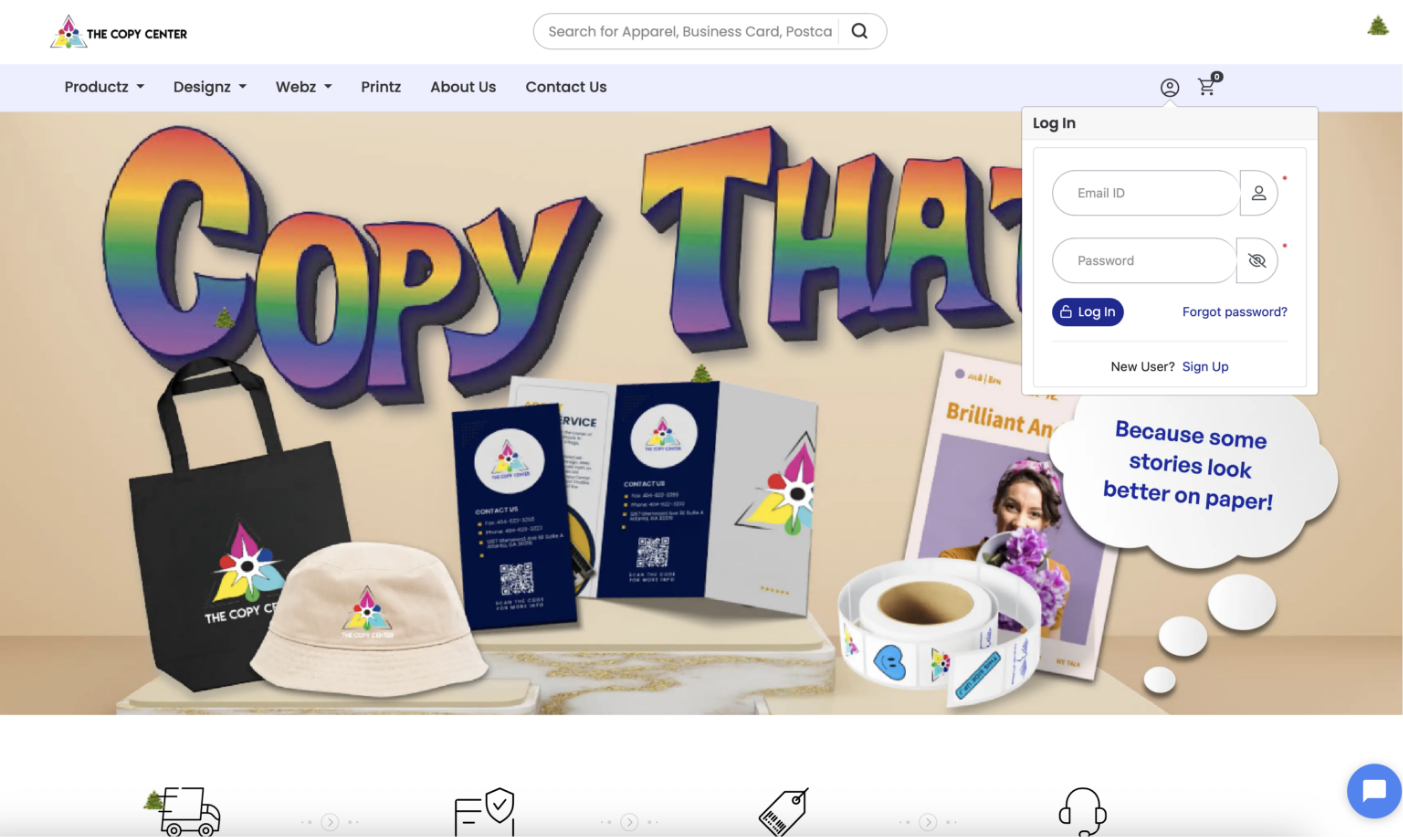
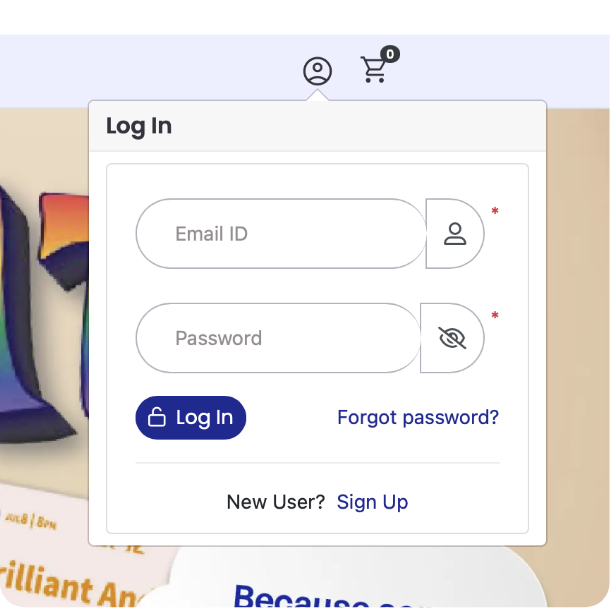
Select the profile icon at the top right corner of the homepage at eastatlantacopycenter.com. Log into your account, or create a new one if this is your first order.
Step 2: Select the product and make your specifications
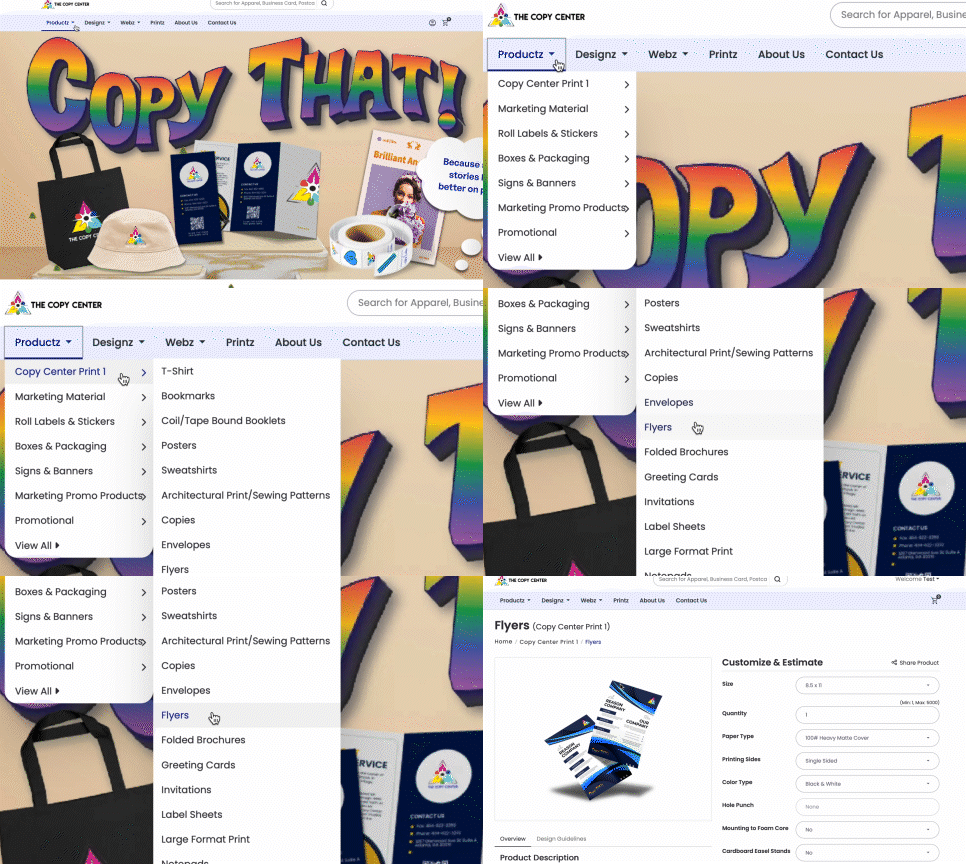
Once you have ensured that you are logged in, it’s time to select your desired product. Find the product category appropriate for your project and input your specific information: How many? Of what size? Which paper weight? etc. Fill in each field with your desired specifications as prompted.
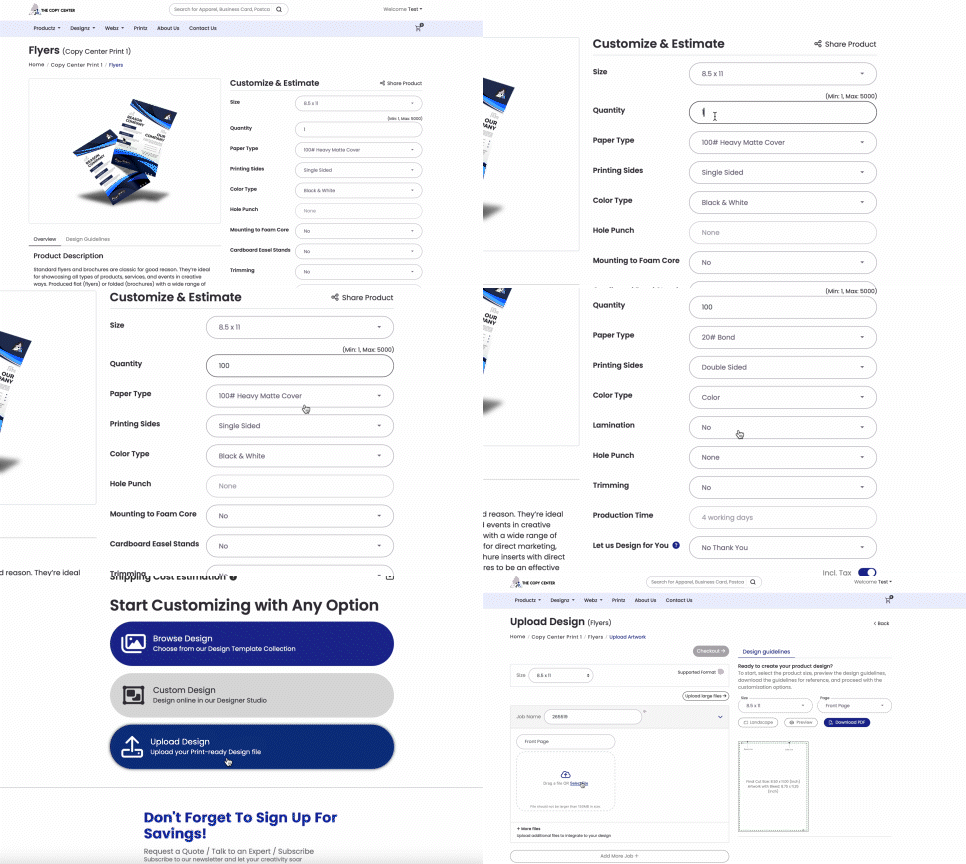
Upload the art you desire for your project, browse our own designs, or collaborate with one of our expert designers to bring your vision to life. All orders have a maximum turnaround time of four days; should you need your order completed even sooner, simply note your turnaround time expectations in the appropriate field. A rush fee may be automatically applied to your order if necessary.
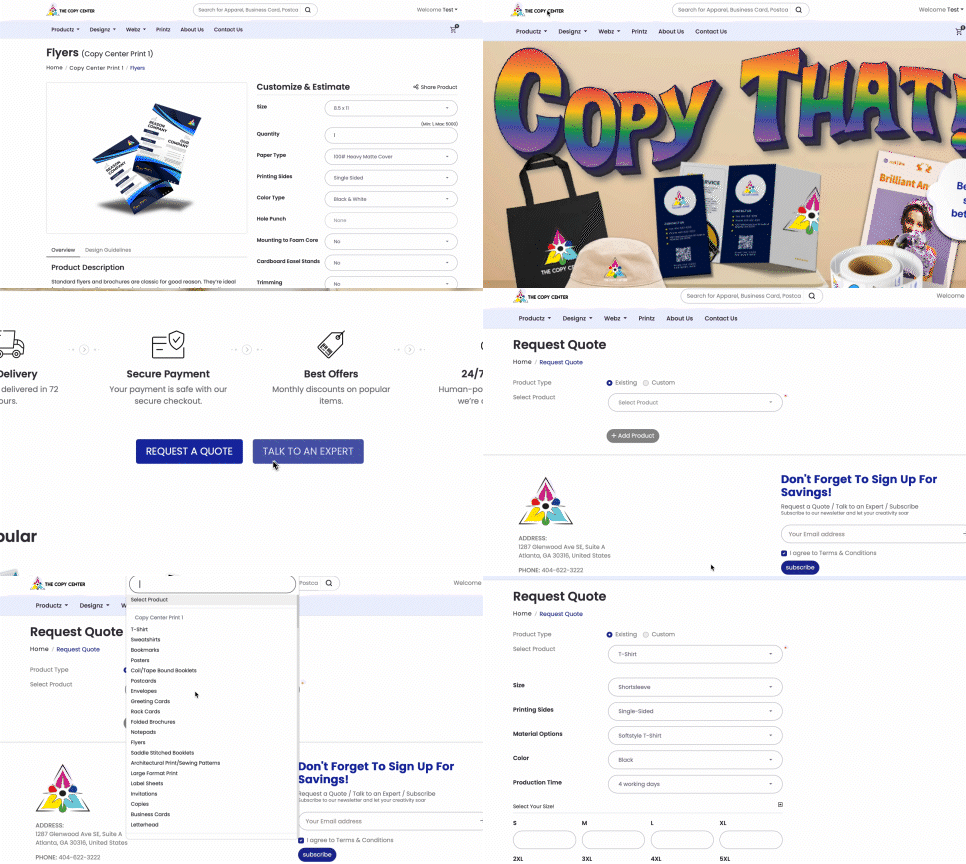
Should you need specifications beyond what is offered under the listed product, simply select “request a quote” on the homepage and provide the relevant information.
Step 3: Complete Your Secured Payment
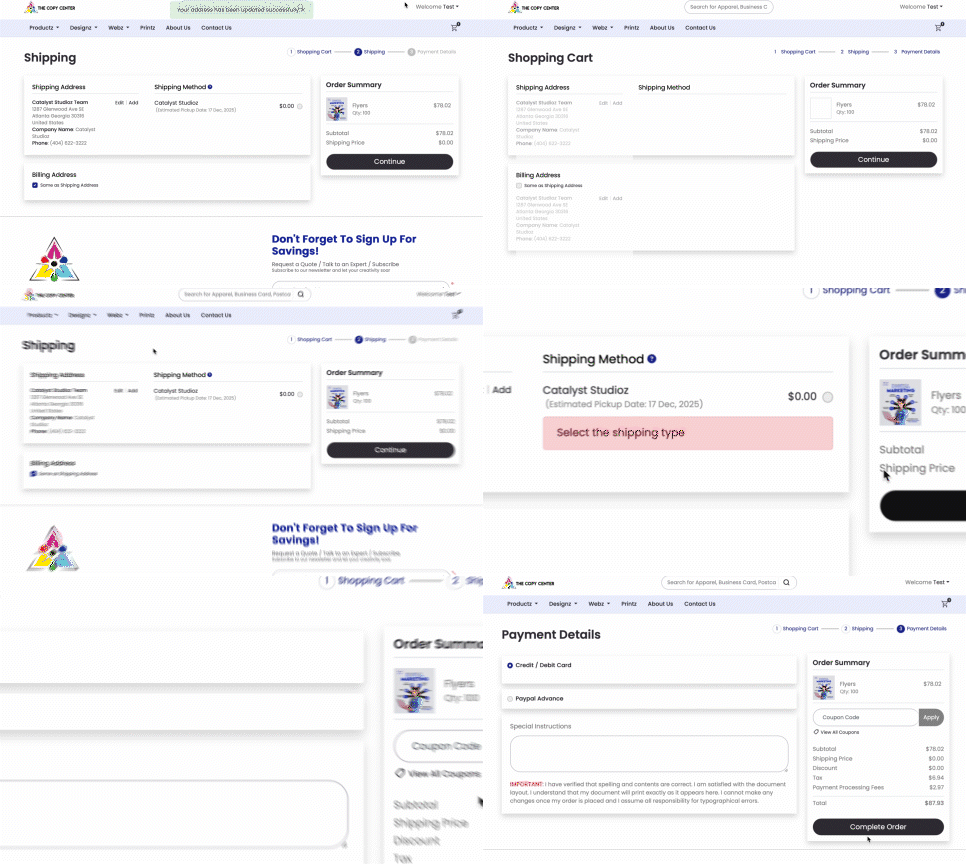
We accept a variety of methods to complete your secure payment, from Paypal to standard credit card. Follow the prompts to ensure you’ve successfully settled up.
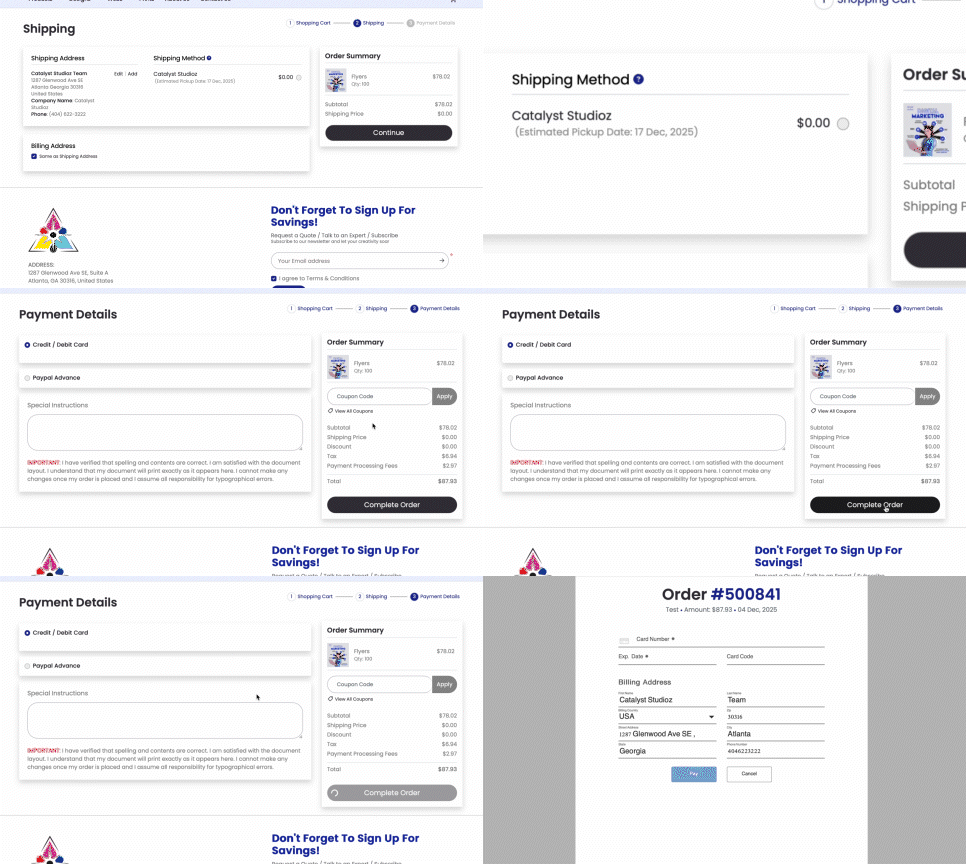
Congratulations! Your premium print order has been placed.
PRINT FAQ’s
What types of print products do you offer?
We offer a wide range of marketing materials including bookmarks, business cards, postcards, flyers, rack cards, letterheads, envelopes, mounted posters, and more.
How fast is your production and delivery time?
Our standard turnaround time is 4 days. Rush orders are available for an additional fee, and timelines may vary depending on the quantity and product type
Can I order custom sizes for posters or large-format prints?
Yes. We print mounted posters up to 24 × 36 inches, and we can also produce custom sizes up to 36 × 48 inches upon request.
Do you offer special finishes or premium stocks?
Yes, certain products have premium options such as matte, satin, kraft stock, pearl stock, and other specialty materials depending on the product category.
Do you provide physical samples before placing a large order?
While we don’t ship sample kits by default, we can produce a printed proof or recommend the best stock based on your project needs.
Are promotions or discounts available?
Yes — we run seasonal promotions with discounts up to 15%, plus additional bonus savings for early orders.
Can I reorder previous prints easily?
Yes. If you’ve ordered with us before, we can quickly reload and reprint your previous design files.
Designz FAQ’s
Do you offer full design services for print materials?
Yes. Our in-house designers can create print-ready artwork for any product — from business cards to large-format posters.
Can I upload my own design?
Definitely. You can submit your print-ready files, and we will check them based on our print guidelines.
Do you provide templates or guidelines for designs?
Yes. Each product includes downloadable templates and design guidelines to ensure proper bleed, safe zones, and resolution.
Can you fix or improve an existing design?
Absolutely. We can edit, clean up, resize, or enhance your existing artwork to make it print-ready.
How many revisions do you include with design services?
We include multiple rounds of revisions depending on the project scope to make sure the design suits your brand perfectly.
Do you offer branding or logo design?
Yes — we can create or refine brand identities including logos, color systems, layout standards, and design kits.
Webz FAQ’s
What kinds of websites can you build?
We build business websites, portfolios, e-commerce stores, landing pages, product showcases, and promotional sites.
Do you design from scratch or use templates?
We offer both, but most clients choose fully custom designs tailored to their branding and goals.
How long does it take to build a website?
Typical turnaround is 7–21 days. Complex or e-commerce websites usually take 3–6 weeks.
Can you write content and provide graphics for the website?
Yes. We offer content writing, page structuring, image sourcing, and graphic creation as part of our website packages.
Do you help with domain and hosting setup?
Absolutely. We can register domains, set up hosting, or migrate your site from another platform.
What platforms do you build on?
We work with WordPress, Shopify, Squarespace, Wix, and fully custom-coded solutions.
Will my website be mobile-friendly?
Yes — all websites we build are fully responsive and optimized for mobile, tablet, and desktop.
Can you redesign my existing website instead of making a new one?
Yes. We can refresh your site’s visuals, reorganize content, improve speed, or fully overhaul outdated layouts.
Do you provide website maintenance after launch?
Yes. We offer optional monthly maintenance for updates, security checks, content edits, backups, and performance optimization.
Can you integrate booking systems, online payments, or special features?
Definitely. We can add booking tools, e-commerce features, payment gateways, newsletter forms, live chat, analytics, and more.
Once you have successfully placed your order, uploaded your art, and made your secure payment, login to your account portal to view any project status updates. All orders have a maximum turnaround time of four days.
Once you have successfully placed your order, uploaded your art, and made your secure payment, login to your account portal to view any project status updates. All orders have a maximum turnaround time of four days.
Need More Help? Feel Free To Reach Out To Our Team.